Learners with a library of course videos and PDFs they can watch but can't search, quote or study from.
Problem
Video is slow to search. Finding the lesson where an idea came up, quoting it, or feeding it into study tools doesn't work on raw video files, and cloud transcription for hundreds of hours is slow and costly.
Outcome & measures
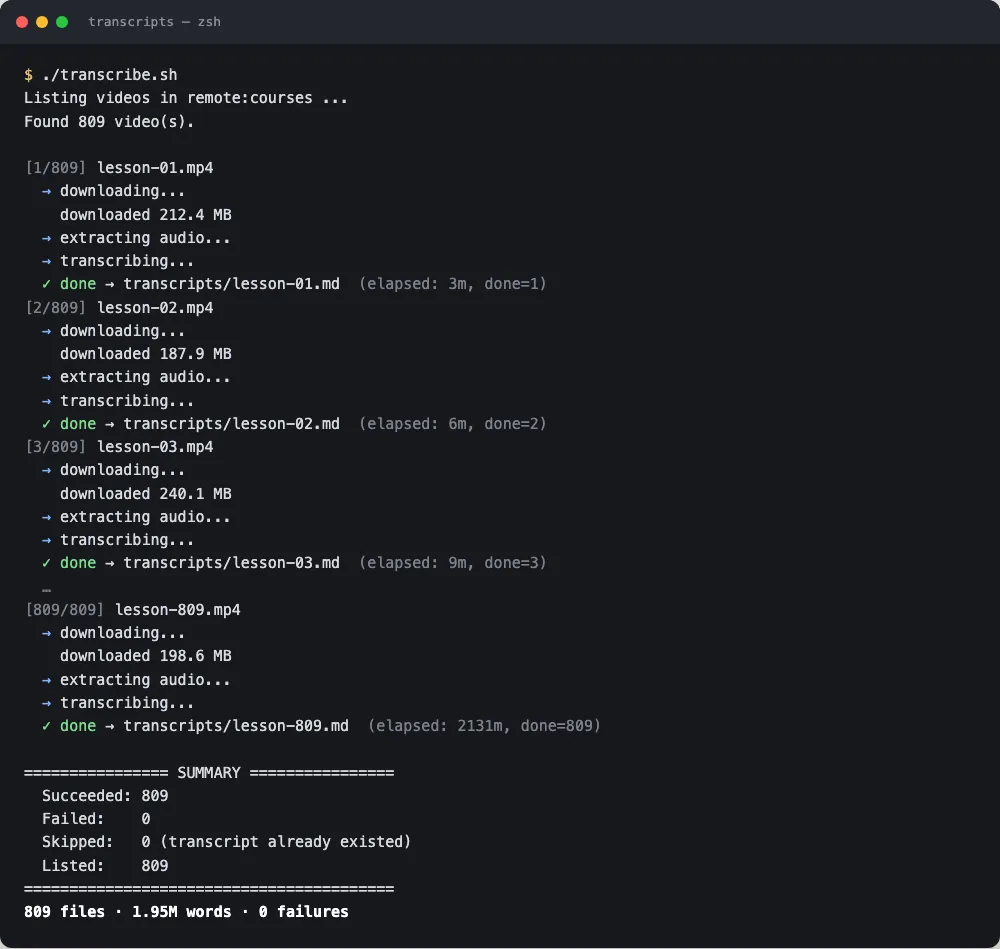
Two scripts download each file, transcribe videos with a local speech model, read PDFs with on-device text recognition, and write a mirrored tree of Markdown files ready to search.
809 files converted, about 1.95 million words, zero failures
Runs entirely on my Mac, resumable if interrupted
Read-only on the source folder, never deleting or moving anything
What's next · Dec 2026
Done. The same approach now lives inside Study Hall for any new material.
Why I built it
I wanted my course library as text so I could search it, quote it and build study tools on top of it.
How it came together
One script handles videos: download, convert audio, transcribe with whisper. The other handles PDFs and images: render each page and read it with the Mac’s built-in text recognition. Both are resumable and skip finished files.
What I learned
Boring and safe wins for batch jobs. Making the source strictly read-only and every step resumable meant I could leave it running for hours and trust the result.